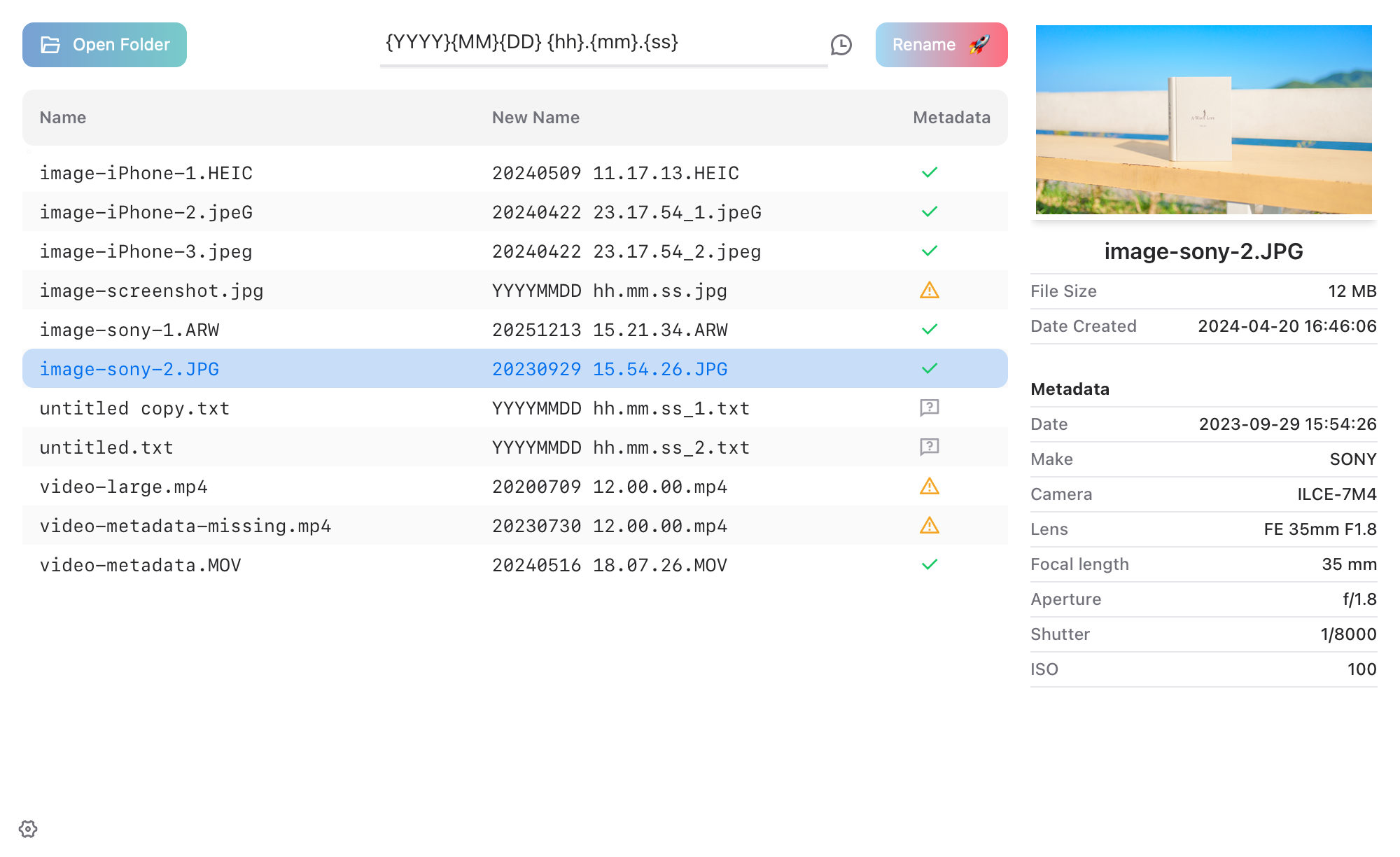
Rename Photos
Step 1: Choose files to rename
- Click
- Drag and drop files into the window
Step 2: Confirm the new names
- Enter the format in the input box
- Preview the new names in the table in real time
Step 3: Apply the rename
- Click
💡 Open settings to view the rename rules
- Clickin the bottom left corner
- Use the shortcutCtrl/Command + ,
Q&A: Multiple files share metadata
- If multiple files share the same metadata, the app automatically adds sequence numbers to avoid naming conflicts.
Q&A: Missing metadata
- If a file lacks metadata, placeholders are used.
- If strict mode is enabled in Settings, files without metadata are skipped.
Download & Install